Guides · Gameplay · Java & Bedrock · 1.20–1.21
How to make an armor stand in Minecraft
Six sticks, one smooth stone slab, and thirty seconds at a crafting table—that is the whole recipe. The interesting part is what you do after: dress it in netherite for a spawn trophy wall, use a marker stand (no hitbox—players walk through it) for shop mannequins, or teach it to wave with pose commands on Java.
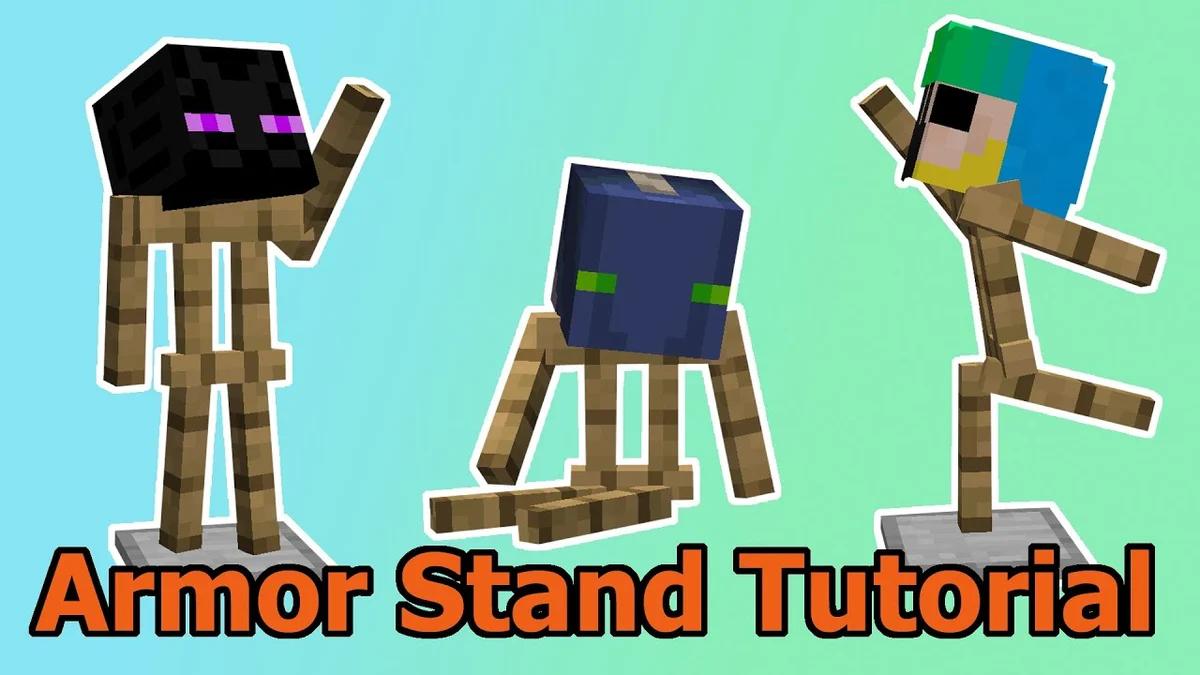
What armor stands are actually for
An armor stand is a furniture piece, not a mannequin NPC. It holds wearable items—helmets, chestplates, leggings, boots, elytra, shields, and on Java even carved pumpkins or mob heads—without needing a player nearby.
Builders use them everywhere a chest would look wrong: tavern armor racks, PvP kit previews, museum wings, spawn trophy walls. On multiplayer servers they are cheap decoration that survives restarts and does not need a Citizens plugin.
They are also redstone-adjacent in technical builds: invisible marker stands anchor item displays, block falling animations, and some door contraptions (particle doors use rotated invisible stands as pivots).
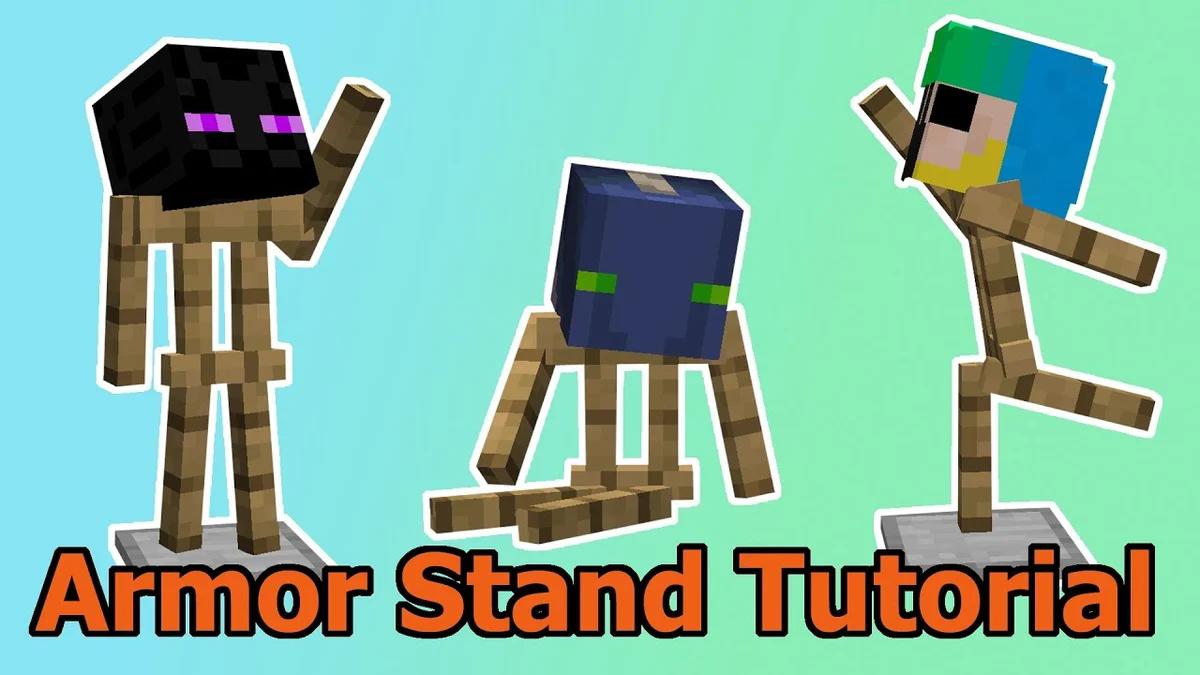
Armor stand crafting recipe (Java & Bedrock)
You need exactly six sticks and one smooth stone slab. The recipe has been stable for years; the only ingredient that trips people up is the slab type—it must be smooth stone slab, not cobblestone slab or stone slab.
Pattern in a 3×3 crafting grid: fill the top row with sticks; put one stick in the center of the middle row; on the bottom row place stick · smooth stone slab · stick.
Getting smooth stone without guessing
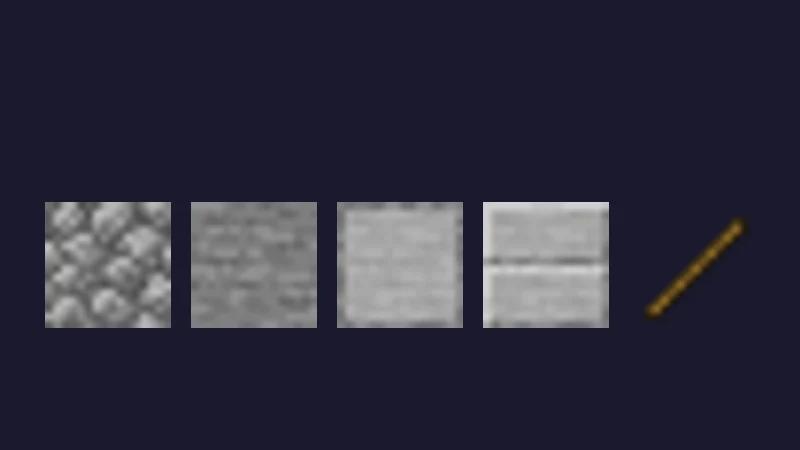
Smelt cobblestone → stone. Smelt stone again → smooth stone. Three smooth stone blocks in a row on a crafting table yield six smooth stone slabs—one recipe gives you enough for six armor stands.
Sticks come from two planks stacked vertically (four sticks per craft). One oak log gives four planks, which converts to eight sticks—more than enough for a single stand.
Crafting grid (exact pattern)
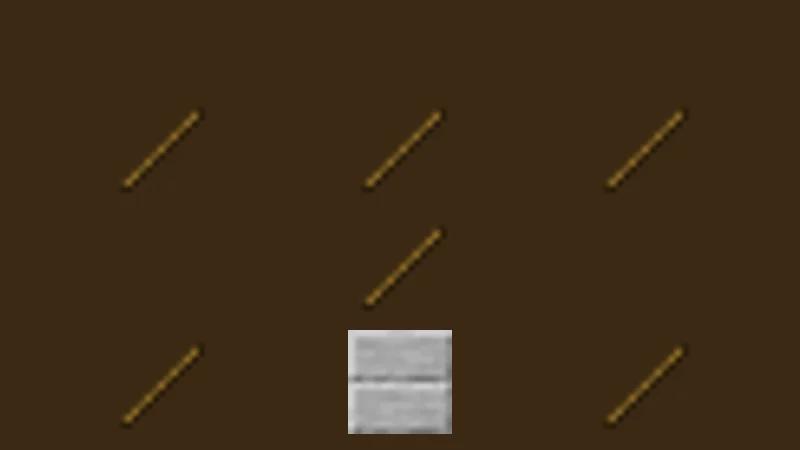
Slab must be smooth stone slab, not cobblestone.
From cobblestone to finished stand
If you are speed-running the craft in a new world, this is the shortest resource chain—no wandering trader required.
Placing the stand and putting armor on it
Place armor stands on a full block top. They can sit on fences, slabs, and some transparent blocks, but if half their base hangs over air they can break when updated by redstone or water.
Equip gear by right-clicking (Java: use / use item; Bedrock: tap). Order does not matter—each slot accepts the matching armor piece. Hold a mob head or carved pumpkin and use it on the stand to replace the helmet slot.
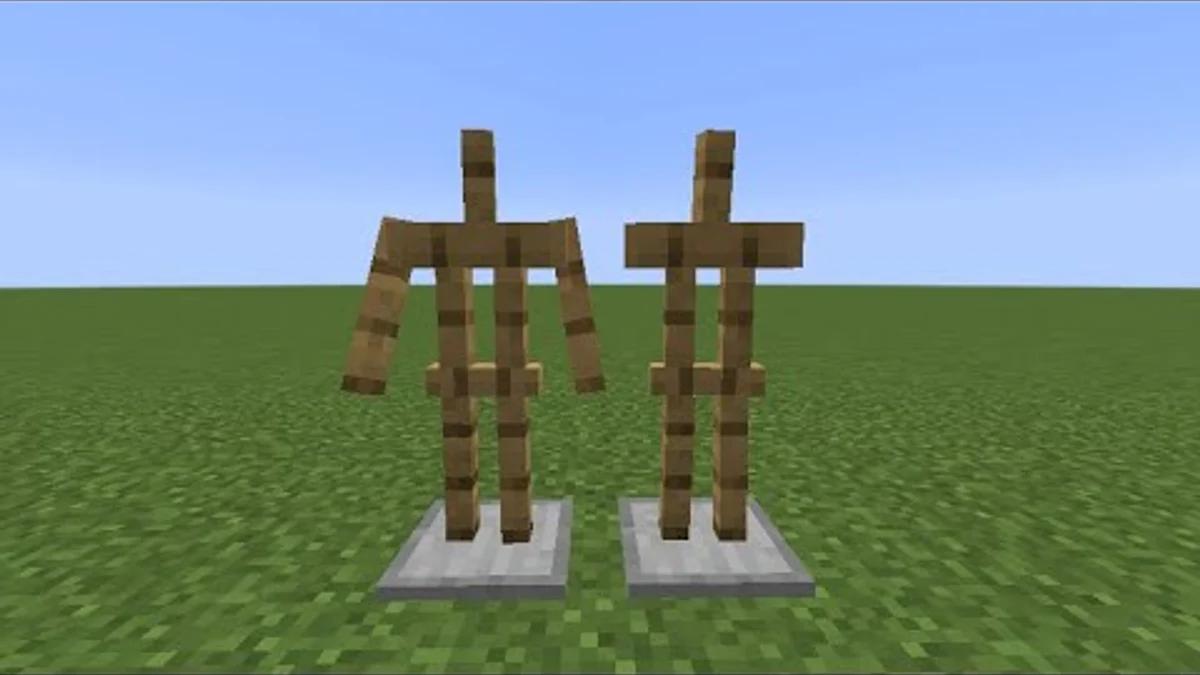
On Bedrock you can add items to hand slots directly in many versions. On Java, a survival-crafted stand has no arms; you either summon one with the ShowArms tag or use commands on an existing stand (see command section below).
Java vs Bedrock — the differences that matter
Same recipe, different tooling. Bedrock creative players get a pose UI when they interact with a stand—rotate limbs with sliders, good for quick spawn art without commands.
Java survival has no pose UI. You either play in creative and use external tools, learn /data merge Pose tags, or install the Armor Statues datapack (popular on Hermitcraft-style worlds).
| Feature | Java Edition | Bedrock Edition |
|---|---|---|
| Crafting recipe | 6 sticks + 1 smooth stone slab (same pattern both editions) | Identical recipe |
| Arms on crafted stand | No arms unless summoned with the ShowArms tag or modified with commands | Arms visible on placed stands; can hold items in hands |
| Posing in survival | Commands, datapacks, or creative-only tools — no vanilla survival pose UI | Creative mode pose wheels when interacting with the stand |
| Natural generation | Taiga village armorer houses (two stands) | Same village loot |
| Marker / invisible tricks | Marker mode and Invisible mode via /data merge (Java 1.8+) | Limited; rely on creative sizing and item display entities where available |
Video tutorials (click to load)
Three angles: giving stands arms on Java, the Armor Statues datapack book used on Hermitcraft-style worlds, and newer player mannequins when you need skin-accurate NPCs.
Posing on Java: commands that work in 1.20–1.21
Each limb has a Pose tag with three floats: [xAngle, yAngle, zAngle] in degrees. Example: RightArm:[-90f,0f,0f] points the right arm forward like a zombie reach.
Use /data merge entity while looking at the stand (or target it with @e[type=armor_stand,limit=1,sort=nearest,distance=..4]). Changes are instant and survive reloads.
For complex poses—sitting, leaning on a bar, dual-wielding—the Armor Statues datapack gives you a book with clickable pose presets. Server owners can bundle it in the world download for creative plots.
About command tags: Values like Marker:1b are Minecraft's internal NBT flags—1b means "on." They only appear when you run commands; you never type them in survival crafting.
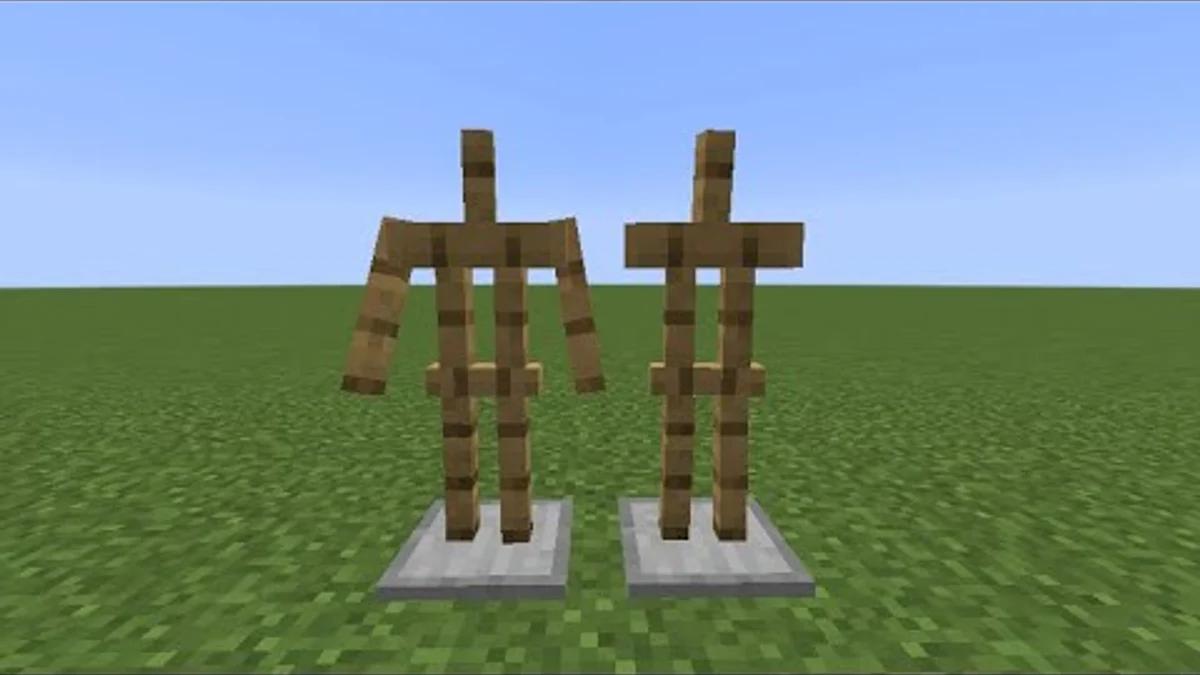
/summon minecraft:armor_stand ~ ~1 ~ {ShowArms:1b,NoGravity:1b}Arms let you display swords, maps, or banners in hand slots.
/summon minecraft:armor_stand ~ ~1 ~ {Invisible:1b,Marker:1b,NoGravity:1b,Small:1b}Marker removes hitbox. Pair with name tags on armor so players still see gear.
/data merge entity @e[type=minecraft:armor_stand,limit=1,sort=nearest,distance=..3] {Pose:{RightArm:[-90f,0f,0f]}}Look at the stand first. Angles are in degrees: [x,y,z] per limb.
/data merge entity @e[type=minecraft:armor_stand,limit=1,sort=nearest,distance=..3] {DisabledSlots:4144959}DisabledSlots bitmask prevents players (and most farms) from removing armor.
Marker stands: the builder secret for clean shops
Marker mode removes collision—the stand no longer blocks players. They walk through it but still see the armor floating where you placed it, which is perfect for cramped market stalls. In commands this is the Marker:1b tag.
You can combine invisible mode (hides the wooden stand model), small size, and NoGravity so the display survives redstone updates while you build. The armor looks like a floating mannequin.
Caution: marker stands are harder to click for editing. Name-tag your build stand, or keep one normal stand in creative inventory as a template.
Four builds that actually look good
Copy these layouts on your survival base or server spawn—they are common on well-polished lists for a reason.
Spawn hall trophy row
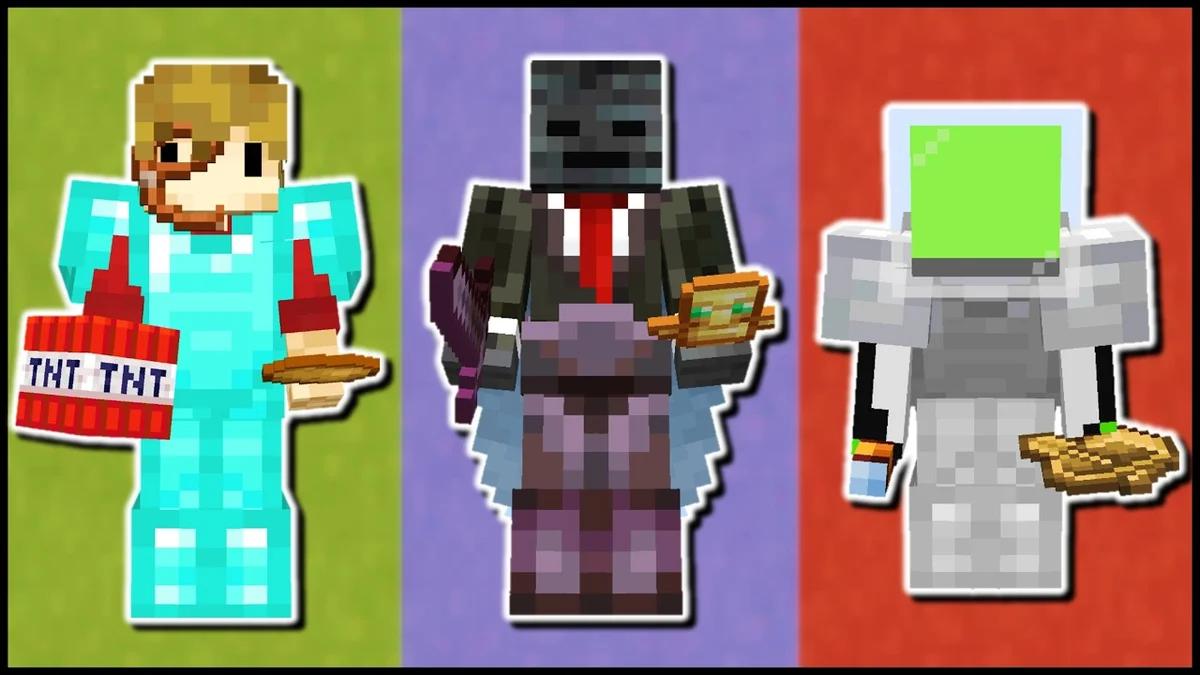
Line up stands with full netherite and player heads from your season winners. Use the Small tag on Java so they do not tower over doorways.
Blacksmith prop
One stand in leather apron colors (dyed leather armor), another holding an iron sword with arms enabled. Place behind a counter block so only the torso shows.
Museum mannequin
Invisible marker stand on a quartz slab, armor only, with NoGravity so redstone floors do not break the display. Add a lectern with lore book beside it.
Kit preview on PvP servers
Show default kit armor on stands at /spawn so new players know what they get before clicking a sign. Server owners: this cuts repeated chat questions.
On multiplayer servers
Most survival servers allow crafting and placing armor stands freely. Posing commands require OP or a rank with entity data permission—ask staff before spamming /data merge in spawn.
If you run a server, put kit-preview stands at warp spawn and lock them with DisabledSlots so players cannot steal the display gear. Creative plot worlds often give infinite stands; survival claims may limit entity counts per chunk.
Listing your server with clear spawn screenshots (including armor stand displays) helps conversion on server lists—players can see the polish before they join.
Run a server? How to get more players on a Minecraft server covers listing, votes, and launch-week promotion. Browse creative servers for inspiration—or add your own listing.
Quick walkthrough
- 1
Gather materials
Mine cobblestone, smelt it to stone, smelt again to smooth stone, craft three smooth stones into six slabs. Chop wood into planks, then craft six sticks (two planks make four sticks).
- 2
Craft the armor stand
Open a crafting table. Top row: three sticks. Middle row: one stick in the center. Bottom row: stick, smooth stone slab, stick. Move the result to your inventory.
- 3
Place and equip
Place the stand on a solid block (not snow layers or carpet alone). Right-click with armor pieces, mob heads, elytra, or shields depending on edition. On Java, use ShowArms stands or commands to hold items in hands.
- 4
Pose or lock (optional)
Bedrock creative: use the pose interface on the stand. Java: use /data merge entity with Pose tags, or install the Armor Statues datapack on single-player or a server that allows it.